Tuist

Tuist

更新日誌

Product

Test run details now show every device or simulator the run executed on, alongside the existing Mac host info. For multi-destination test plans, each destination is listed with its platform and OS version so you can see at a glance whether tests ran on iPhone, iPad, Apple TV, Apple Watch, or Vision Pro.

Test run details with a Devices row listing iPhone 17 and iPhone 17 Pro on iOS Simulator 26.4

OSS

When HTTPS_PROXY or HTTP_PROXY is set in the environment, Tuist now automatically routes the HTTP connections it manages (cache, previews, analytics, registry access, and the calls the Gradle plugin makes back to Tuist services) through that proxy. Nothing to configure: the CLI and Gradle plugin pick up the variable and use it.

Product

Analytics dashboards now offer a scatter plot view alongside the existing line charts. Toggle between Line and Scatter plot to see individual data points for build durations, test run durations, cache hit rates, and selective testing effectiveness. Use the Group by dropdown to color dots by scheme, environment, or category. Click any dot to jump straight to the detail page.

Builds page showing scatter plot chart with individual build duration data points grouped by scheme

Product

Tuist now supports parameterized tests from Swift Testing (@Test(arguments:)). Each argument variant is tracked individually with its own status, failures, and attachments, giving you per-argument visibility into what passed and what failed.

Test case run detail page showing parameterized test arguments with per-argument status and failure details

Product

The dashboard now adopts the authenticated user's browser language automatically when a matching dashboard locale is available. It currently recognizes English, Spanish, Japanese, Korean, Russian, Cantonese, Simplified Chinese, and Traditional Chinese.

Product

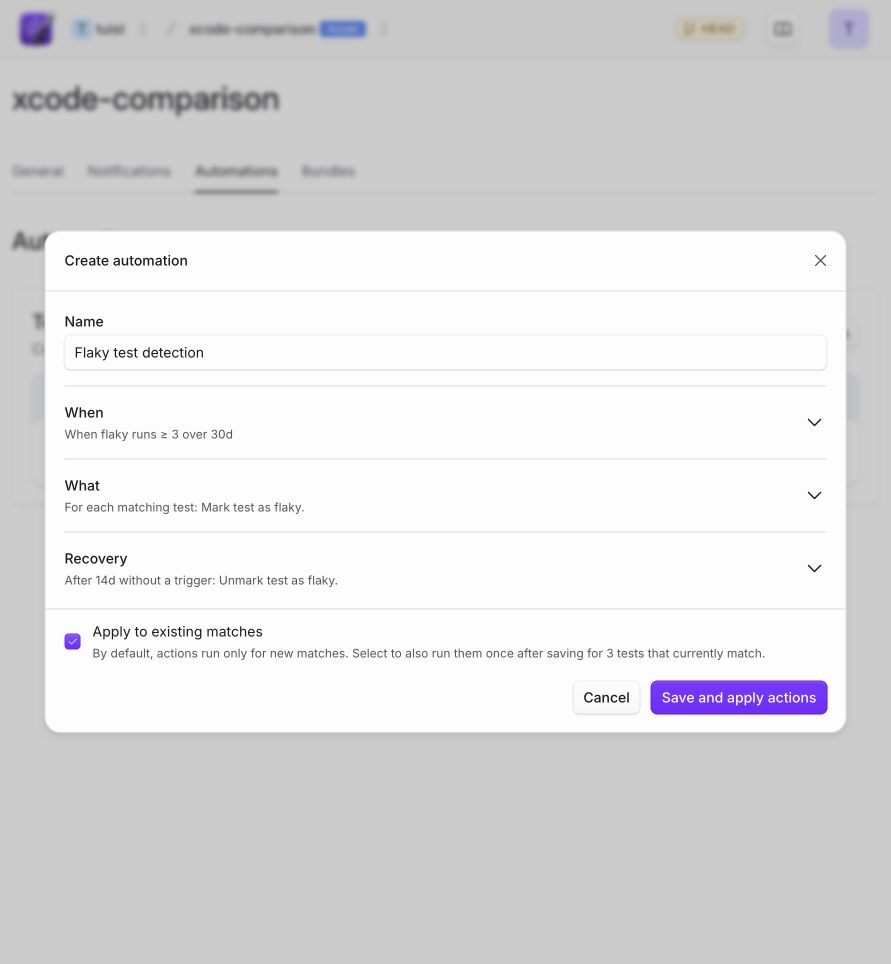
You can now configure how long a test must go without a flaky occurrence before its flaky flag is automatically cleared. Previously this was fixed at 14 days. Head to your project's Automations settings to set the Cooldown period to a value that works for your team.

Flaky test cooldown period setting

Product

Tuist's pull request comments now show which specific tests failed, including the failure message and a link to the source file in GitHub. This lets you identify and fix failures directly from the PR without opening the dashboard.

Failed Tests in PR Comment

Product

Organizations can now enforce SSO authentication. When enabled, members must verify their identity with the configured SSO provider before accessing organization resources. Users can still log in normally, but will be redirected to SSO when accessing an enforced organization.

SSO enforcement toggle in organization settings

Product

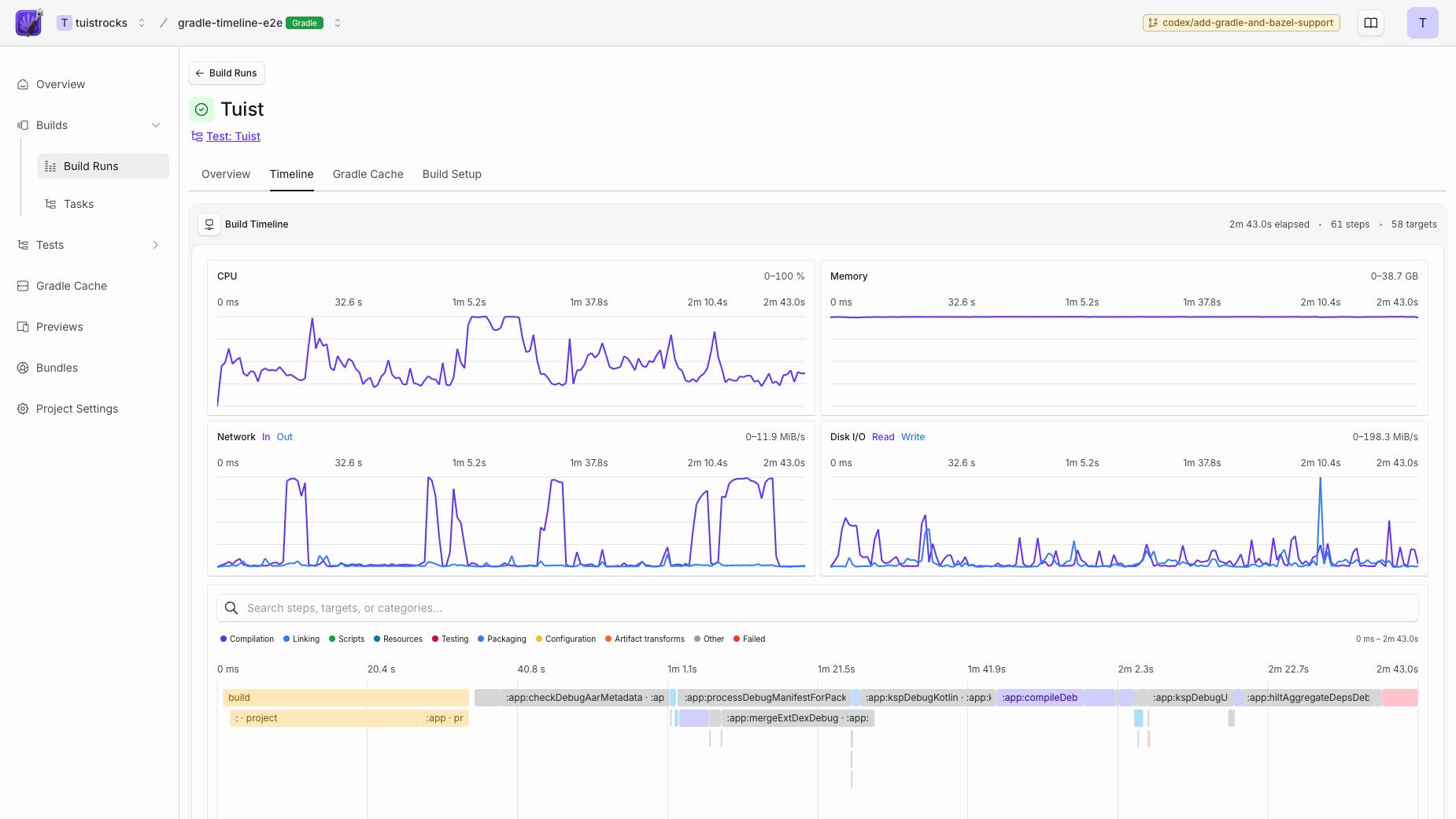
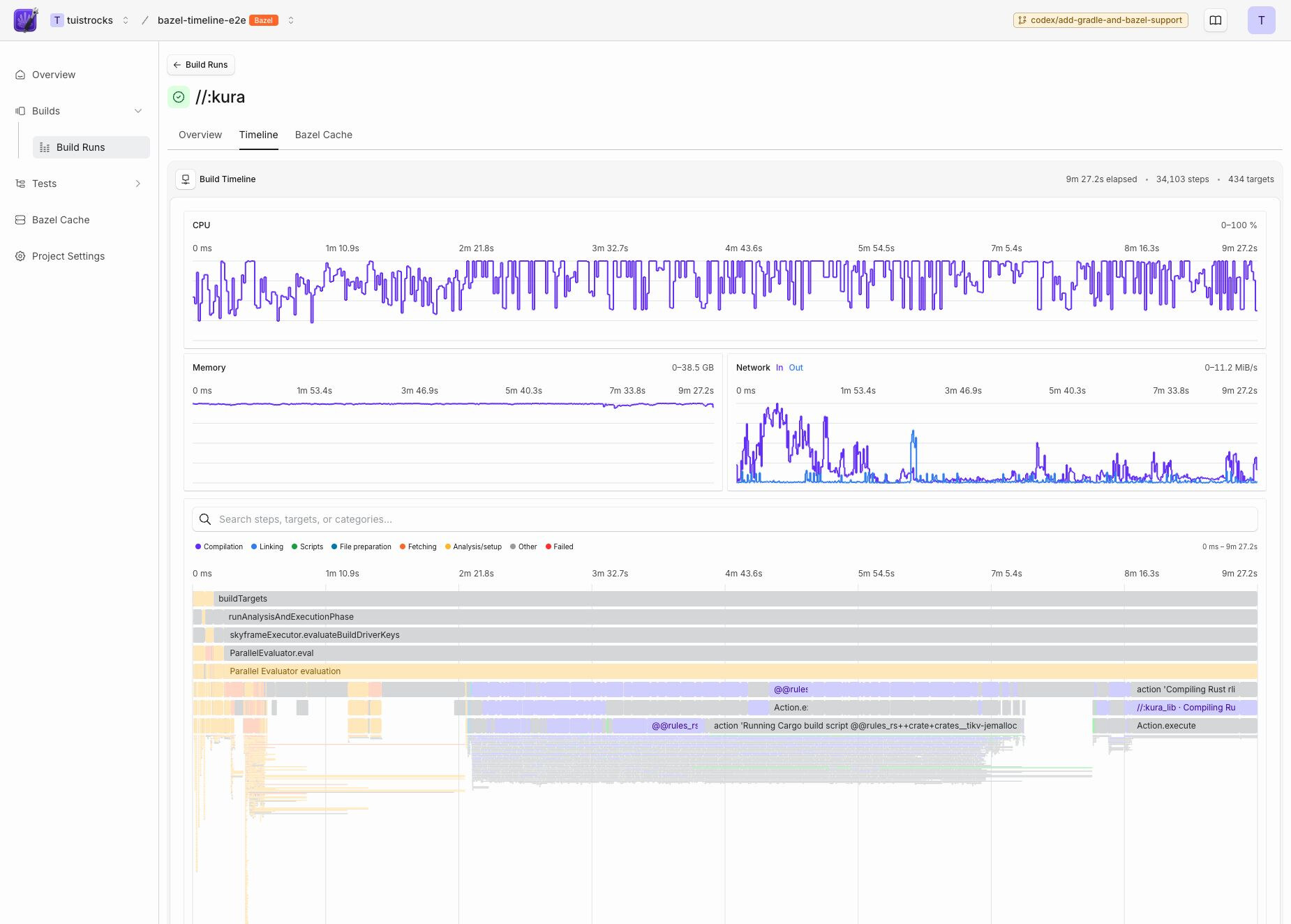
Build scans now include machine-level performance charts for CPU, memory, network, and disk usage. See exactly what your build machine was doing during the build to spot resource bottlenecks. Available for both Xcode and Gradle builds. For Xcode, run tuist setup insights to enable metric collection. Gradle builds collect metrics automatically through the plugin.

Machine metrics charts

Product

Gradle build details now show the tasks that were explicitly requested by the user (e.g., assembleRelease, connectedAndroidTest), making it easy to distinguish between different build types in CI environments with multiple builds.

Gradle build details with requested tasks