Tuist

Tuist

Журнал изменений

OSS

Noora is now available as standards-based web components. They share the design tokens, visual language, and component behavior used by Noora’s Phoenix LiveView components, while remaining usable from plain Hypertext Markup Language or any browser framework.

Install @tuist/noora from the Node Package Manager package registry, then import the design tokens and component registration bundle once in your browser entry point:

javascript
import "@tuist/noora/tokens.css";
import "@tuist/noora/web-components";

For a quick browser-only prototype, a content delivery network such as jsDelivr can serve the same published files directly from the Node Package Manager package:

html
<link
  rel="stylesheet"
  href="https://cdn.jsdelivr.net/npm/@tuist/noora@latest/priv/static/tokens.css"
/>
<script
  type="module"
  src="https://cdn.jsdelivr.net/npm/@tuist/noora@latest/priv/static/noora-web-components.js"
></script>

The @latest addresses are convenient for prototypes. Pin an exact published version when using Noora in production.

You can then use Noora custom elements directly:

html
<noora-button variant="primary">Create project</noora-button>

Interactive components use standard browser events where they fit and documented noora-* custom events for structured interactions. For example:

javascript
document.querySelector("noora-select").addEventListener("noora-select", (event) => {
  console.log(event.detail.value);
});

The package also includes TypeScript declarations, a Custom Elements Manifest, and generated reference documentation for attributes, properties, slots, styling parts, and events.
OSS

When HTTPS_PROXY or HTTP_PROXY is set in the environment, Tuist now automatically routes the HTTP connections it manages (cache, previews, analytics, registry access, and the calls the Gradle plugin makes back to Tuist services) through that proxy. Nothing to configure: the CLI and Gradle plugin pick up the variable and use it.

OSS

Over the years of developing the Tuist CLI{:target="_blank"}, we’ve come to appreciate the value of consistent UI patterns across all aspects of the tool (like commands) in delivering an outstanding developer experience. Unfortunately, this is an area we overlooked for a while. Recently, we’ve taken steps to address this, not only to enhance the Tuist CLI experience but also to establish a foundation for other CLIs we’re building. Our goal is to ensure they all share a unified Tuist look and feel, while also adhering to excellent accessibility and UI practices.

To achieve this, we’ve introduced Noora{:target="_blank"}—a design system for building CLIs in Swift. This Swift package provides themable components designed specifically for CLI interfaces. While the current selection of components is limited, we plan to gradually expand it by extracting more components from our work at Tuist.

If you’re building a CLI in Swift, we encourage you to explore the documentation{:target="_blank"}. We’d love to hear your feedback and welcome contributions to make Noora even better. If there’s a specific component you need, feel free to open an issue or submit a PR!

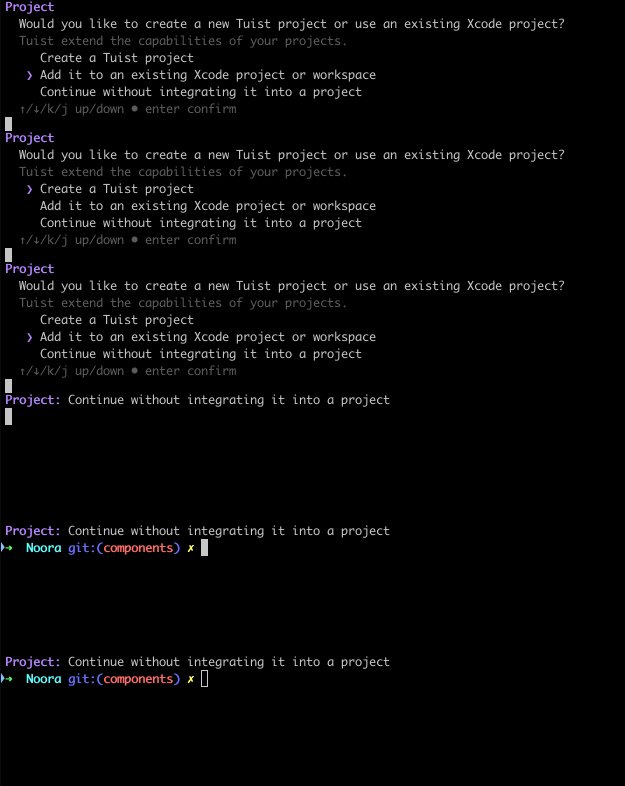
A GIF that shows an example of a single-choice prompt component where the person can select among a list of options moving using the cursors