Cache volumes keep dependency directories between CI jobs, and tools rarely clean up after themselves, so saved contents grow from run to run. Once a volume is nearly full, every job that mounts it has little room left to write, and jobs can fail with errors such as No space left on device.
Volumes now recover on their own. When a volume's saved contents reach 80% of its capacity and a job runs out of space on them, the next job starts with an empty volume and saves a fresh copy. Large caches that still leave jobs room to write keep their saved contents, and a full volume costs one failed job and one cold run instead of every job failing.
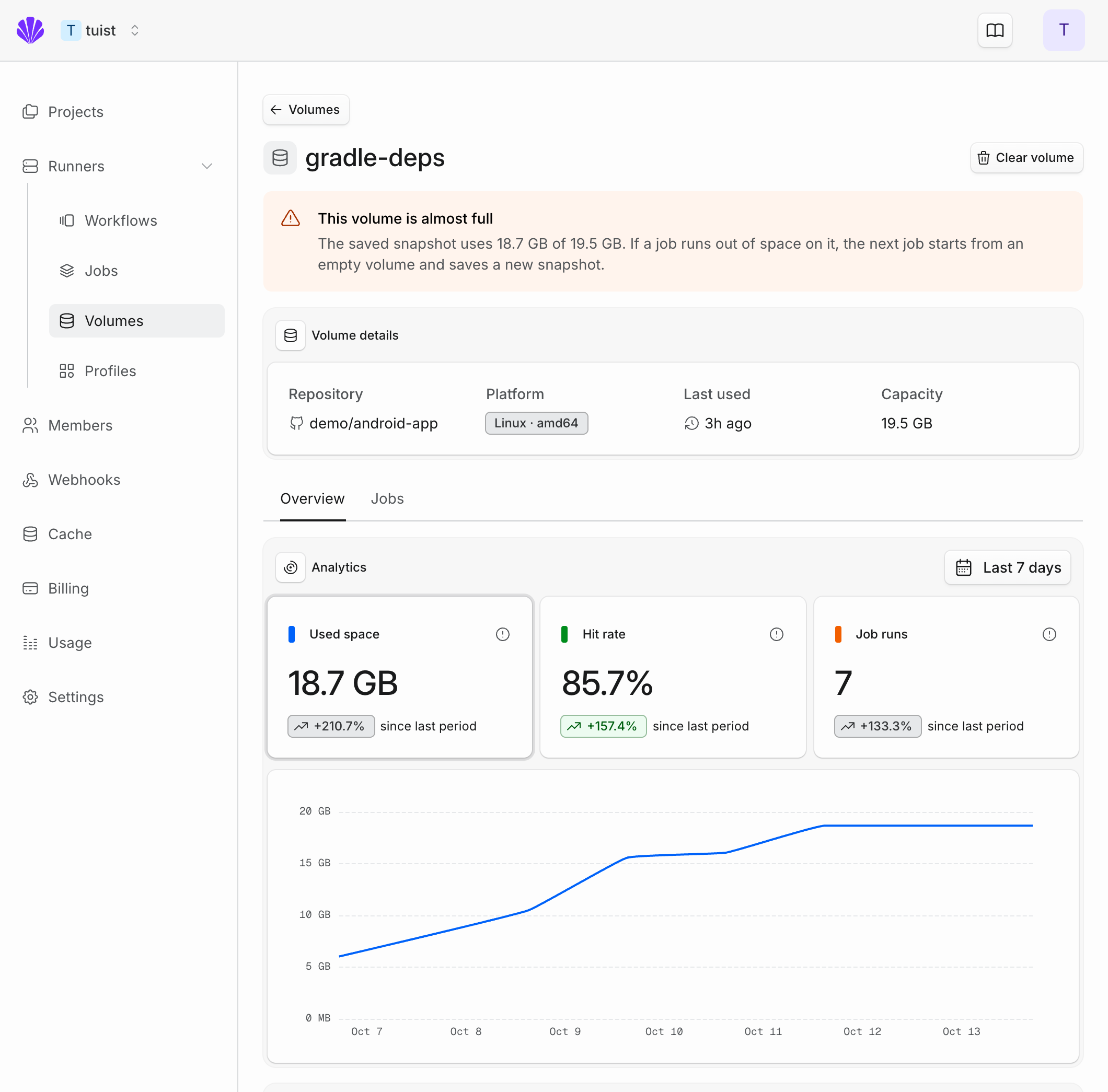
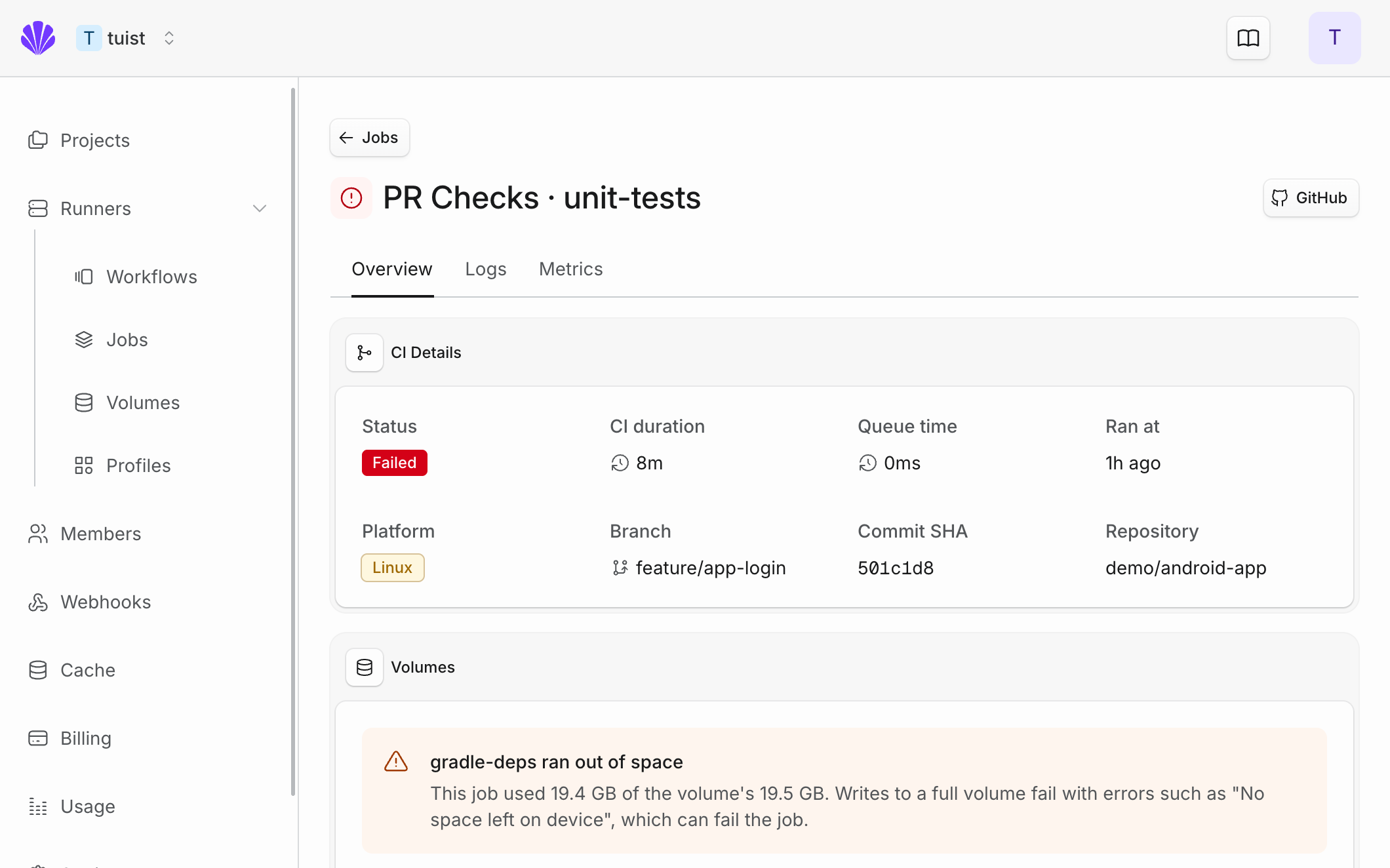
The volume's page in Runners → Volumes warns when its saved contents are nearly full. When a failed job filled one of its volumes, the job page shows which volume ran out of space, so a full disk no longer looks like an unrelated build failure.
To keep volumes small, use your tool's cache cleanup settings. See the cache volumes guide for details.